
If you run a Discord server, sooner or later you are probably going to need a ticket system.
Tickets give members a private place to contact staff without filling public channels with support questions, reports, applications, partnership requests, or account issues.
They also make things much easier for your staff. Instead of trying to keep track of DMs and random messages across the server, everything can be kept inside organized ticket channels.
There are a lot of ticket bots available for Discord, so choosing one can be difficult.
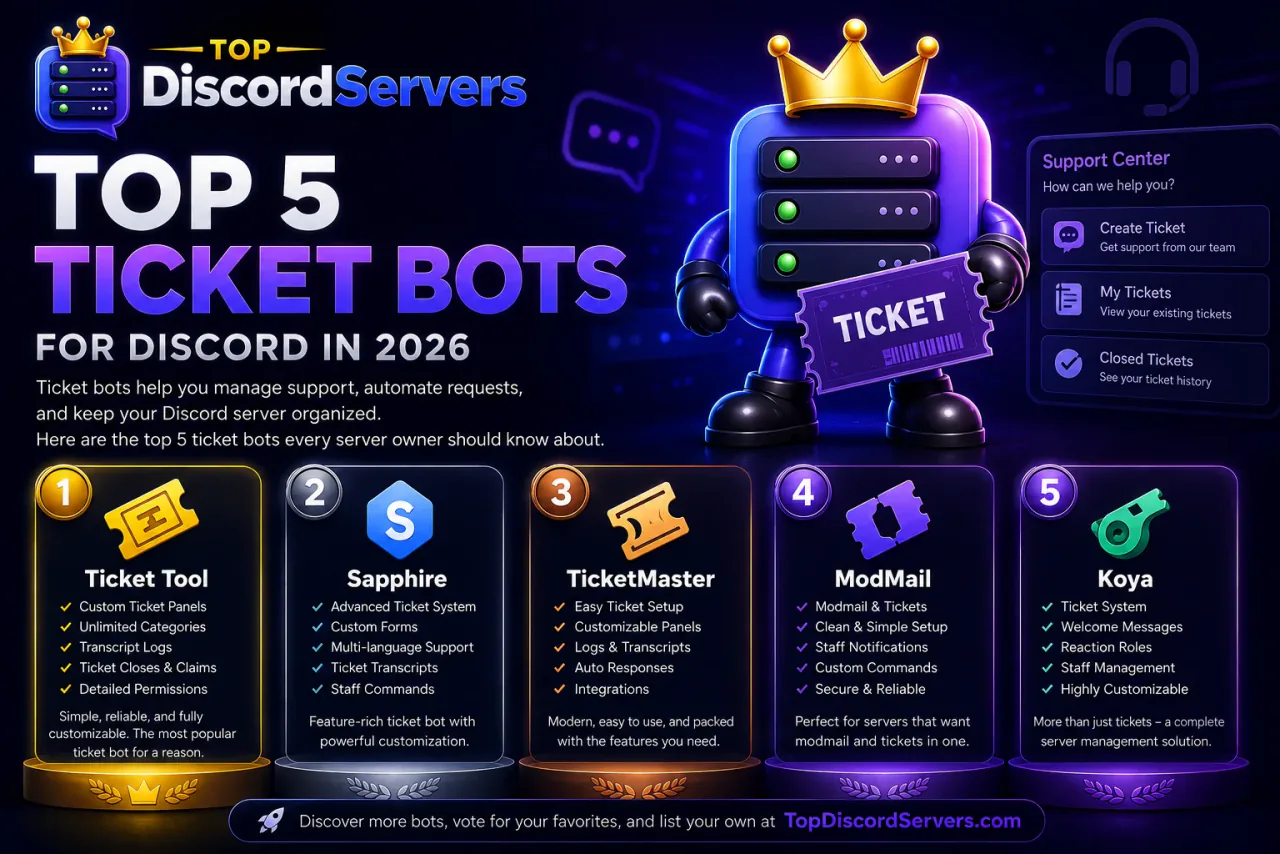
Here are five Discord ticket bots worth checking out in 2026.
1. Ticket Tool
Ticket Tool is one of the biggest dedicated ticket bots on Discord.
Discord currently lists Ticket Tool as being used in more than 1.8 million servers, making it one of the most established choices for Discord support systems.
The basic idea is simple. A member clicks a button, opens a private ticket, and your staff can handle the conversation from there.
Ticket Tool also has plenty of options for servers that want a more advanced setup.
Ticket Tool Features
- Custom ticket panels
- Multiple ticket categories
- Forms
- Ticket transcripts
- Ticket claiming
- Staff permissions
- Private support channels
- Automation rules
- Auto-close options
- Ticket logs
- Web dashboard
- Support statistics
One of the best things about Ticket Tool is how much you can customize.
Different ticket categories can have their own permissions, questions, messages, and workflows. You can have one setup for general support, another for reports, another for applications, and another for billing or partnerships.
Ticket conversations can also be saved as transcripts, which is useful when staff need to look back at a previous issue.
Best For
Servers that want a full ticket system with plenty of customization.
Ticket Tool is a good fit for both smaller communities and large Discord servers that deal with a lot of support requests.
2. Ticket King
Ticket King is another popular Discord bot built specifically for tickets.
It currently serves more than 670,000 Discord servers, according to Discord's application directory.
One of Ticket King's main advantages is how quickly you can get it running.
Its /quicksetup command walks you through choosing your staff roles, selecting a log channel, and creating your first ticket panel.
You can have a basic ticket system running without spending a long time configuring everything.
Ticket King Features
- Ticket panels
- Staff applications
- Ticket transcripts
- Ticket ratings
- Ticket history
- Ticket logging
- Multiple staff roles
- Custom embeds
- Web dashboard
- Staff statistics
- Multiple languages
- Auto-close options
Ticket King also has a dashboard where staff can view statistics, ticket history, ratings, and other information about how support is being handled.
That can be useful for larger servers where several moderators or support members are answering tickets.
Best For
Server owners who want something easy to set up without giving up useful ticket features.
If you want to get a support system running quickly, Ticket King is worth looking at.
3. Tickets
Sometimes the simple name is the right one.
Tickets is a dedicated Discord support bot built around private support conversations.
Members can open tickets using buttons or dropdown menus, and servers can ask users questions before the ticket is created.
That can save staff a lot of time.
For example, instead of somebody opening a ticket that only says "I need help," you can ask them what they need help with before the channel even opens.
Tickets Features
- Button ticket panels
- Dropdown ticket menus
- Custom forms
- Private ticket channels
- Private ticket threads
- Automatic transcripts
- Ticket claiming
- Multiple support teams
- Saved responses
- More than 20 supported languages
- Custom branding options
Tickets can also use private threads instead of creating a new channel for every ticket.
That can help keep a busy Discord server cleaner, especially if your support team handles a large number of tickets every day.
Best For
Servers that want a dedicated ticket bot without a lot of unrelated features.
It does what its name suggests and keeps the focus on support.
4. Modmail
Modmail works differently from most traditional ticket bots.
Instead of having members click a ticket button inside your server, users can send a direct message to the Modmail bot.
The bot then creates a private staff channel where your moderators can respond.
The member continues talking through DMs while your entire staff team can see and respond to the conversation from inside the server.
Modmail Features
- Private member-to-staff conversations
- DM-based support
- Private staff threads
- Conversation logs
- Previous ticket history
- Shared staff inbox
- Custom configuration
- Self-hosting
- Staff commands
This setup works especially well for moderation issues.
A member might not want to open a visible support ticket to report another member or discuss a private problem. With Modmail, they can simply message the bot.
Discord itself describes modmail bots as a way for users to contact a moderation team privately while keeping the conversation organized for staff.
Another difference is that the popular open-source Modmail project can be self-hosted.
That gives server owners who are comfortable managing their own bot more control over their setup.
Best For
Communities that handle private reports, moderation appeals, and sensitive support requests.
Modmail is especially useful when you want conversations to start through DMs instead of a public ticket panel.
5. Koya
Koya is known as a multipurpose Discord bot, but it also includes a complete ticket system.
Its ticket feature lets server owners create panels with buttons or dropdown menus and send tickets into dedicated private channels.
You can also collect information from users before a ticket opens.
Koya Ticket Features
- Custom ticket panels
- Buttons and dropdown menus
- Ticket forms
- Private ticket channels
- Ticket claiming
- HTML transcripts
- Ticket logs
- Custom channel names
- Different support roles
- Auto-close when members leave
Koya's forms can include text fields, checkboxes, radio options, and file uploads.
That makes it useful for more than basic support.
You could create tickets for staff applications, bug reports, ban appeals, partnership requests, purchases, or just about anything else that requires users to submit information privately.
Best For
Servers that already want a multipurpose Discord bot and would rather keep their ticket system inside the same bot.
Koya gives you ticketing along with its other server-management features.
Which Discord Ticket Bot Is Best?
There isn't one answer that works for every server.
If you want a dedicated ticket bot with a lot of customization, Ticket Tool is probably the strongest place to start.
If you want something quick and easy to set up, Ticket King is a good option.
If you want a straightforward dedicated support system, take a look at Tickets.
If your server handles sensitive reports and moderation issues, Modmail has a very different approach that works well for private conversations.
If you want tickets as part of a larger multipurpose bot, Koya makes sense.
The right choice mostly depends on how your staff handles support.
What Should a Good Discord Ticket Bot Have?
A ticket bot does not need hundreds of features to be useful.
There are a few things that matter much more.
Your members should be able to open a ticket without having to read a long guide first.
Your staff should be able to see who opened the ticket, what they need help with, and who is currently handling it.
You should also have some way of keeping records.
Transcripts can be extremely useful when somebody comes back weeks later and asks about a previous support issue.
For larger servers, ticket claiming is also important. It prevents several staff members from answering the same person at once.
A good setup normally includes:
- Easy ticket creation
- Separate ticket categories
- Staff permissions
- Ticket claiming
- Logs
- Transcripts
- Forms
- Close and reopen controls
- Clear support roles
You do not necessarily need every feature on day one.
Start simple and add more as your server grows.
Don't Make Your Ticket System Too Complicated
This is an easy mistake to make.
Some server owners create ten different ticket buttons, huge forms, dozens of questions, and several layers of categories before a member can even talk to somebody.
That usually makes support worse instead of better.
If somebody needs help, they should be able to reach your staff quickly.
For most Discord servers, a few options are enough:
General Support
Member Report
Ban Appeal
Partnership
Other
You can always add more later if you notice people regularly opening tickets for something that deserves its own category.
Ticket Bots Can Help Your Staff Stay Organized
A good ticket system is not just useful for members.
It makes life easier for moderators too.
Instead of having support requests spread across DMs, general chat, moderator pings, and random channels, everything stays in one place.
That becomes more important as a server grows.
A small Discord community might only receive a couple of questions each week.
A large server can receive dozens or hundreds.
At that point, having proper ticket channels, transcripts, categories, and staff assignments can make a big difference.
Discover More Discord Bots on TopDiscordServers
Ticket bots are only one part of the Discord bot ecosystem.
On TopDiscordServers, you can discover bots for:
- Tickets
- Moderation
- Security
- Music
- Leveling
- Economy
- Games
- Utility
- Logging
- Community management
Bot developers can also list their own bots on TopDiscordServers and give Discord server owners another way to find them.
If you are building a Discord bot, add it to the directory and start getting it in front of people looking for new tools for their communities.
Final Rankings
Our Top 5 Discord Ticket Bots for 2026 are:
#1 — Ticket Tool
Best overall ticket bot.
#2 — Ticket King
Best for quick setup.
#3 — Tickets
Best dedicated support system.
#4 — Modmail
Best for private reports and moderator contact.
#5 — Koya
Best multipurpose bot with built-in tickets.
Your ticket system does not need to be complicated.
Pick the bot that fits your community, configure a few clear support options, and make it easy for members to reach your staff when they need help.
— The TopDiscordServers Team